personal growth
Best Voice Journaling Apps in 2026: Which One Fits Your Needs?
best voice journaling appsvoice journal app comparisonaudio journalingvoice-to-text journalingjournaling apps 2026
The best voice journaling apps do not all treat your voice the same way.
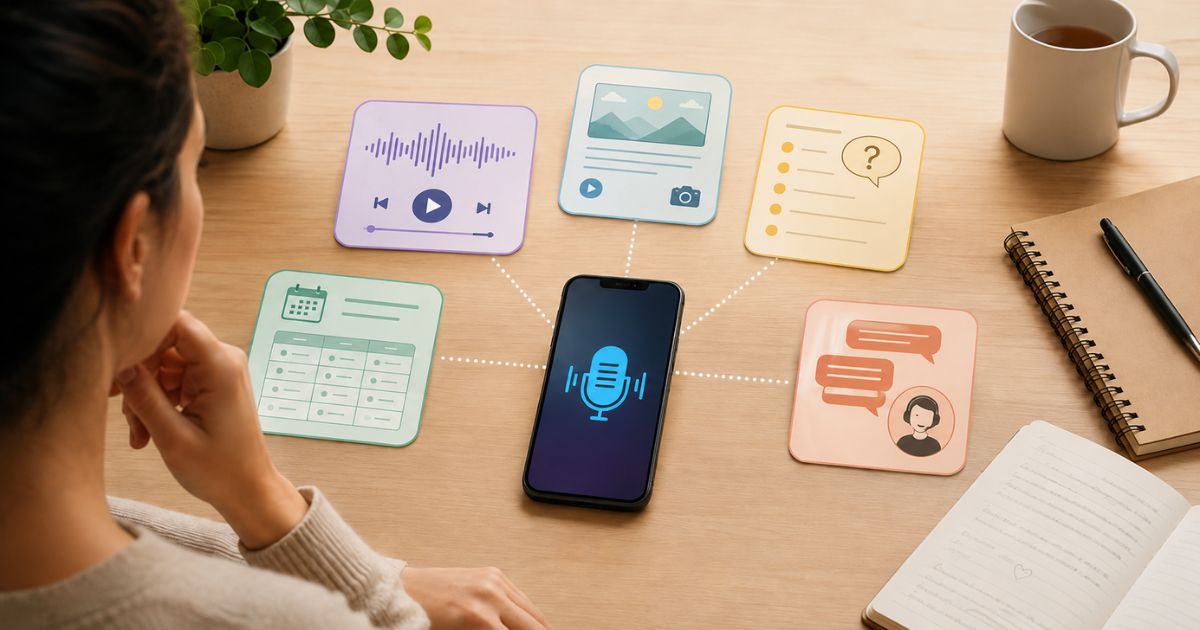
One app may preserve the recording as the journal itself. Another may use speech mainly to create an editable written entry. A third may turn journaling into a guided conversation. Some combine audio with photos, templates, tags, search, or analysis across many entries.
That is why there is no single best voice-journaling app for everyone.
This comparison looks at JournPad, Day One, Reflection, Mindsera, and Rosebud through eight practical questions. It is based on official product pages, help centres, privacy policies, and current Apple App Store and Google Play listings reviewed on July 18, 2026. It is an official-document comparison, not a hands-on test.
Quick comparison: which workflow fits you?
The labels below are fit-based editorial judgements, not a ranking.
Pricing and product behaviour can differ by country, store, platform, promotion, and app version. Check the checkout and help page available to you before subscribing.
1. Is the app voice-first or merely voice-enabled?
This is the first distinction to make because every app in this comparison accepts spoken input, but voice plays a different role in each product.
JournPad: voice is the journal
JournPad is a dedicated voice-first journal. You begin by recording, and the original audio remains the primary entry. JournPad later presents a generated title, summary, subject, category, environment information, and follow-up prompt to help you recognise the entry.
Those generated fields are orientation context. They are view-only and cannot be edited, searched, filtered, tagged, sorted, or used as folders.
This makes JournPad a strong fit when you want to speak first and return to your own recording later, rather than turn every reflection into a polished written page. Its current App Store listing and Google Play listing both centre recording and replay.
Day One: voice is one medium inside a larger journal
Day One is not primarily an audio journal. It is a broad life-journaling system that can combine text, photos, video, drawings, documents, location context, templates, multiple journals, search, filters, and audio.
Its current plan comparison places audio recording and transcription in Silver and Gold alongside its wider multimedia features.
That makes Day One a strong fit for someone who wants one long-term archive for writing, memories, media, and occasional audio, rather than a narrowly focused voice workflow.
Reflection: voice becomes written reflection
Reflection describes its core voice workflow as transforming spoken thoughts into written reflections. It supports free-form voice journaling and a voice-powered Coach that can respond during a guided session.
Its official homepage emphasises voice-to-text, while its July 2026 release notes describe both free-form voice journaling and voice dictation inside the Coach.
Reflection is therefore a strong fit for someone who wants spoken input to become readable, searchable writing with optional guidance.
Mindsera: voice is one route into a structured analysis system
Mindsera lets you speak, write, scan a physical journal, use frameworks, or enter a conversational mode. Its voice workflow automatically transcribes the recording, and the resulting entry can later participate in broader analysis and review tools.
The official voice-journaling guide documents both mobile and web recording, while the plan comparison places voice journaling and advanced analysis in the paid Genius tier.
Mindsera is a strong fit for someone who wants frameworks, several input methods, retained audio, and deeper analysis across a journal.
Rosebud: voice supports an ongoing conversation
Rosebud supports blank entries, voice transcription, hands-free voice mode, personalised follow-up questions, and conversational guidance.
Its voice-journaling guide describes advanced transcription and hands-free controls. Its Dig Deeper guide distinguishes an interactive conversation from a more focused set of follow-up questions.
Rosebud is a strong fit for someone who wants a journal that responds, remembers context, and guides an ongoing personal-growth conversation.
2. Does the app preserve the original audio?
Do not assume that “voice journaling” means you will always be able to replay your voice.
JournPad
Yes. JournPad preserves the original audio as the primary journal record. You can play an individual entry, and entries deliberately created from inside one goal can be played as a goal-specific playlist.
A JournPad recording can be up to five minutes long. That is the maximum for one entry, not an ideal duration and not a reason to prefer JournPad over an app with a longer limit. The distinction is explained in How Long Should a Journal Entry Be?.
Saving a new JournPad recording requires internet connectivity. If audio remains locally available on the original recording device, that entry may be replayed there offline. Uncached remote audio requires internet access.
Day One
Yes. Day One records audio as an
.m4aIts audio-recording documentation clearly separates two iOS modes:
- standard recording: up to three hours, without transcription
- transcription recording: up to ten minutes, with text transcription
The ten-minute transcription limit is not the same as Day One’s standard audio-recording limit. Android audio recording is supported, but the same help page does not publish an equivalent Android duration or Android transcription workflow.
Reflection
Reflection’s recent release notes refer to smoother audio-waveform seeking and playback, so current builds provide controls for returning to recorded audio. However, its public product language consistently centres the transcribed written reflection.
That means Reflection should be understood as transcription-centred, with playback available in current releases, rather than an audio-primary archive like JournPad.
Its January 2026 version 6.18 notes published a ten-minute recording limit. Later notes mention longer recordings but do not publish a replacement number, so the current in-app limit should be checked before duration is a deciding factor.
Mindsera
Yes. Mindsera provides the clearest retained-audio controls among the transcription-centred competitors in this comparison.
Its official guide says each recording is stored with entry metadata. You can listen to it, retranscribe it, download it, or delete it. The same controls are documented for mobile and web.
Rosebud
Rosebud’s official documentation reviewed for this article describes voice transcription, hands-free controls, and conversational voice mode. It does not clearly state that the source recording remains available as a replayable journal record.
If hearing your original voice later is essential, confirm this in the current app before choosing Rosebud.
3. What happens to the transcript?
A transcript can be the journal, a supplement to the audio, a temporary processing step, or a piece of a conversation.
JournPad discards the temporary transcript
JournPad temporarily transcribes a recording to generate entry-detail context, then discards the transcript.
The stored entry contains the audio and generated orientation fields—not a persistent transcript. Because those fields are view-only, JournPad is not the right fit for someone who wants to edit every spoken word into a written article, search the transcript, or organise entries through editable AI tags.
Day One offers audio with or without transcription
On iOS, Day One lets the user choose standard audio without transcription or a shorter transcription-recording mode that automatically adds text.
Its documentation says iOS transcription requires internet unless supported on-device Apple Intelligence processing is available. The transcription feature is documented as iOS-only; imported audio cannot be transcribed through that workflow.
This flexibility may suit someone who sometimes wants pure audio and sometimes wants audio plus written text.
Reflection treats transcription as the main output
Reflection’s voice-to-text workflow turns speech into a written reflection. Recent releases add spoken formatting commands and more reliable recording and transcription.
Its official documentation does not present a separate transcript-lifecycle model in the way JournPad or Mindsera does. The practical result is an editable journal entry built from what you said.
On the web, keep a second distinction in mind: standard entry dictation uses the device or operating system’s voice-typing feature, while Reflection’s in-app voice Coach listens, transcribes, and responds.
Mindsera keeps both the recording and transcript
Mindsera turns speech into entry text and retains the source recording. Users can choose a raw transcript or a refined version that adjusts spelling, grammar, and paragraph breaks.
Because users can retranscribe from the saved recording, Mindsera offers a different trade-off from JournPad: it preserves both an audio source and a more editable, analysis-ready written record.
Rosebud transcribes speech into the journal interaction
Rosebud’s documentation describes advanced transcription and a glossary for preserving selected names or terms. The spoken input becomes part of the journal entry or conversational exchange.
The public pages reviewed do not provide a precise, separate policy for source-audio retention or a standalone transcript file. Choose Rosebud for its guided interaction only after confirming that its stored result matches what you expect.
4. Is the experience free-form, prompted, or conversational?
Most users need more than a microphone. They need the right amount of structure.
Choose JournPad for focused free-form audio
JournPad lets you speak freely. After saving, it provides generated orientation context and a follow-up prompt.
You can also create a recording from inside a goal so the new entry is linked automatically. Optional daily or weekly goal reminders can create a regular opportunity to reflect. JournPad does not automatically score progress, assign a goal, or turn the journal into a task manager.
Choose Day One for a flexible blank canvas
Day One supports free writing, templates, prompt libraries, multimedia entries, separate journals, and reminders. Audio is one component of that flexible system.
Gold adds optional AI features such as prompts, title suggestions, and multi-entry summaries, according to Day One’s AI documentation.
Choose Reflection for guided voice-to-text
Reflection combines standard entries with an inline Coach and a library of more than 100 guided programs. Its Coach can ask questions and respond in real time, while free-form mode allows the user to speak without starting a guided session.
That makes it a particularly strong fit for users who dislike a blank page and want structure while still producing a written journal.
Choose Mindsera for frameworks and analysis
Mindsera’s free plan includes dozens of writing frameworks, while Genius adds conversational prompts, voice journaling, call mode, entry analysis, Ask Your Journal, recurring-topic analysis, and other AI tools.
This breadth can suit someone who wants a system for comparing entries and applying structured reflection methods. It may feel excessive to someone who wants only a simple audio timeline.
Choose Rosebud for conversational guidance
Rosebud supports blank entries, personalised prompts, interactive “dig deeper” exchanges, guided journals, and questions based on earlier entries.
That makes it a strong fit for a reader who wants the app to participate actively in the reflection instead of merely preserving it.
5. How can entries be found, reviewed, and replayed?
The best capture workflow is not useful if you cannot return to the right entry.
JournPad
JournPad organises entries by recording date in Day, Week, and Month views. Generated context can help you recognise an entry before playing the complete audio.
You can play one entry or play entries linked to one specific goal as a playlist. JournPad metadata is not a search, filtering, tagging, sorting, or folder system.
Day One
Day One provides the broadest traditional organisation toolkit in this group: multiple journals, tags, search, filters, calendar, map and media views, templates, favourites, and On This Day memories. Audio stays attached to the surrounding entry and can be replayed there.
This may suit someone building a large multimedia life archive.
Reflection
Reflection supports search, tags, calendar-based review, periodic reviews, insights, and AI-assisted questions across entries. Current releases also document audio waveform controls.
Its written-entry orientation makes it easier to review through text, while voice remains an input method and optional coaching interface.
Mindsera
Mindsera supports entry views, tags, filters, semantic search, entry analysis, recurring-topic detection, and broader journal questions. Its saved audio can be replayed, retranscribed, downloaded, or deleted from the entry metadata.
This is useful when you want both the original recording and a written corpus that can feed deeper analysis.
Rosebud
Rosebud syncs completed entries between mobile and web and uses earlier entries for memory, personalised prompts, and broader questions. Its web app is described as a companion, and drafts do not sync between mobile and web.
Its documentation emphasises revisiting written entries and generated insights, not replaying original audio.
6. Which platforms support actual voice recording?
“Available on a platform” does not always mean “can natively record a voice journal on that platform.”
For Day One, the official audio guide is unusually explicit about the difference between recording and attaching an existing audio file.
For Rosebud, the mobile-versus-web guide says the mobile app is the primary product and that features can differ from the web companion. Do not assume full parity.
7. What privacy and AI-processing questions should you consider?
A privacy comparison should not reduce five different systems to one unsupported “most private” score.
Ask these questions instead:
- Is the journal end-to-end encrypted or encrypted only in transit and at rest?
- Does an AI feature require selected content to be decrypted?
- Which AI providers receive journal content?
- Is content used for model training?
- Is the original audio stored?
- Is the transcript stored?
- What happens after deletion?
- Can an entry be excluded from AI features?
- Can data be exported?
JournPad
JournPad stores account-scoped entries and audio remotely. The temporary transcript used for metadata generation is discarded. Its current store listing describes account access, audio collection for app functionality, playback, and optional biometric re-entry protection.
The important fit question is whether you prefer a system that preserves audio while not keeping the transcript.
Day One
Day One provides end-to-end encryption for new journals, including media, as explained in its encryption FAQ.
Its optional Gold AI features create a separate processing path. Day One says selected entry content may be temporarily decrypted and securely sent to its own or third-party AI services; queries are not retained for model training unless the user explicitly permits it. Users can leave the AI features disabled.
Reflection
Reflection says journal content is encrypted at rest and in transit. Its privacy policy says relevant text from an AI query may be sent to OpenAI or Google Gemini without account-identifying information, and that their paid APIs do not train on the submitted data.
Reflection also allows entries marked private to be excluded from AI search, insights, themes, and reviews, according to its April 2026 release notes.
Mindsera
Mindsera says writing is encrypted at rest and in transit, but not end-to-end encrypted because server-side AI needs access. Its privacy policy states that voice recordings are stored encrypted in Amazon S3 and permanently deleted when the recording or associated entry is deleted. It also says journal data is not used to train AI models.
Rosebud
Rosebud’s privacy policy says journal data is stored in Google Firestore, encrypted in transit and at rest, and processed through providers including OpenAI, Anthropic, and Groq under its stated agreements. The policy says deleted data may remain for 30 days for disaster recovery.
These are different designs, not a simple winner-and-loser table. Read the policy that applies to the exact feature you plan to use.
8. What is free, and what requires payment?
The figures below reflect official US-facing pages reviewed on July 18, 2026. Storefronts, taxes, promotions, existing subscriptions, and regions may produce different prices.
JournPad
The JournPad pricing page lists:
- Free: the first five voice entries as a starter allowance
- Pro: $2.99 per month or $34.99 when billed annually
The US App Store listing reviewed on the same date displayed a different annual in-app-purchase figure. Because the official properties are not fully aligned, verify the price shown at checkout before subscribing.
Day One
Day One’s current plans are:
- Basic: free
- Silver: $49.99 per year
- Gold: $74.99 per year
Audio recording and transcription are included in Silver and Gold. Gold adds Day One’s AI features. The plan page provides the clearest current feature matrix.
Reflection
Reflection has a free plan with unlimited private entries, search, prompts, reviews, and limited syncing. Its official Premium page currently presents a discounted annual rate equivalent to $5.75 per month from an $8 monthly reference price.
The US App Store also lists several current and legacy purchase options, including $69 annual and $5.99 monthly entries. Verify the offer shown in your account and region rather than assuming every user receives the same checkout.
Premium expands AI search and insights, AI writing support, cross-device syncing, templates, media, privacy controls, and exports.
Mindsera
Mindsera’s plans are:
- Curious: free
- Genius: $14.99 billed monthly, or $129 annually, equivalent to $10.75 per month
Voice journaling, conversational prompts, call mode, entry analysis, Ask Your Journal, and several deeper AI features require Genius. Frameworks, tags, export, and the minimal journal are included in Curious.
Rosebud
Rosebud has a free plan and a paid Bloom plan. Its main pricing page reviewed for this article displayed:
- Bloom monthly: $12.99
- Bloom annual: a promotional annual price shown on the page, with the exact offer subject to change
Rosebud’s official pages have displayed more than one annual figure, so the draft should not treat one promotional price as permanent. Check the current web or in-app checkout.
Rosebud’s official sources also conflict on the number of languages supported by voice journaling: current store listings use a lower figure, while newer official home and press materials use a higher figure. This comparison therefore describes Rosebud as multilingual without publishing an uncertain count.
Which app fits which user?
Choose JournPad when your priority is a focused voice journal where the original recording remains the primary record, a temporary transcript is discarded, generated context stays lightweight, and date or goal-based playback matters.
Choose Day One when you want a broad life archive combining writing, audio, photos, video, templates, search, multiple journals, and memory views.
Choose Reflection when you want to talk into a written journal, use guided programs, and receive interactive prompts or coaching while keeping strong text-based retrieval.
Choose Mindsera when you want retained audio and transcripts together, structured frameworks, several capture methods, and deeper analysis across many entries.
Choose Rosebud when you want a conversational personal-growth journal that responds to what you write or say and uses earlier entries to personalise future guidance.
There is no universal winner
The best voice journaling app depends on what you expect your voice to become.
Do you want your original audio to remain the journal, or do you mainly want written transcription? Do you prefer a free-form recording or a guided conversation? Do you need long recordings, rich multimedia, extensive editing, cross-entry analysis, desktop capture, or a lower-cost plan?
JournPad is the clearest fit in this group for someone who wants a dedicated voice-first journal, original-audio playback, lightweight generated context, date browsing, goal-linked recordings, and entries of up to five minutes.
It is not automatically the right choice for someone who needs multi-hour recordings, a multimedia life archive, extensive transcript editing, conversational coaching, or deeper analysis across an entire written journal.
Choose the workflow that matches how you want to speak, what you want preserved, and how you expect to return to it later.