A diary you can speak into
An audio diary works best when capture is fast. JournPad is built around voice entries, so you can record a real moment instead of waiting until you have the energy to write it out.
Use JournPad as a voice diary or audio diary: record spoken entries, replay the original audio, review AI summaries, and browse entries by recording date.
For daily updates, workday decompression, gratitude, and personal check-ins.
A written diary can miss the tone and immediacy of a real moment. JournPad fits when you want to speak first, keep the original audio, and use light organization later instead of turning every reflection into a typing task.
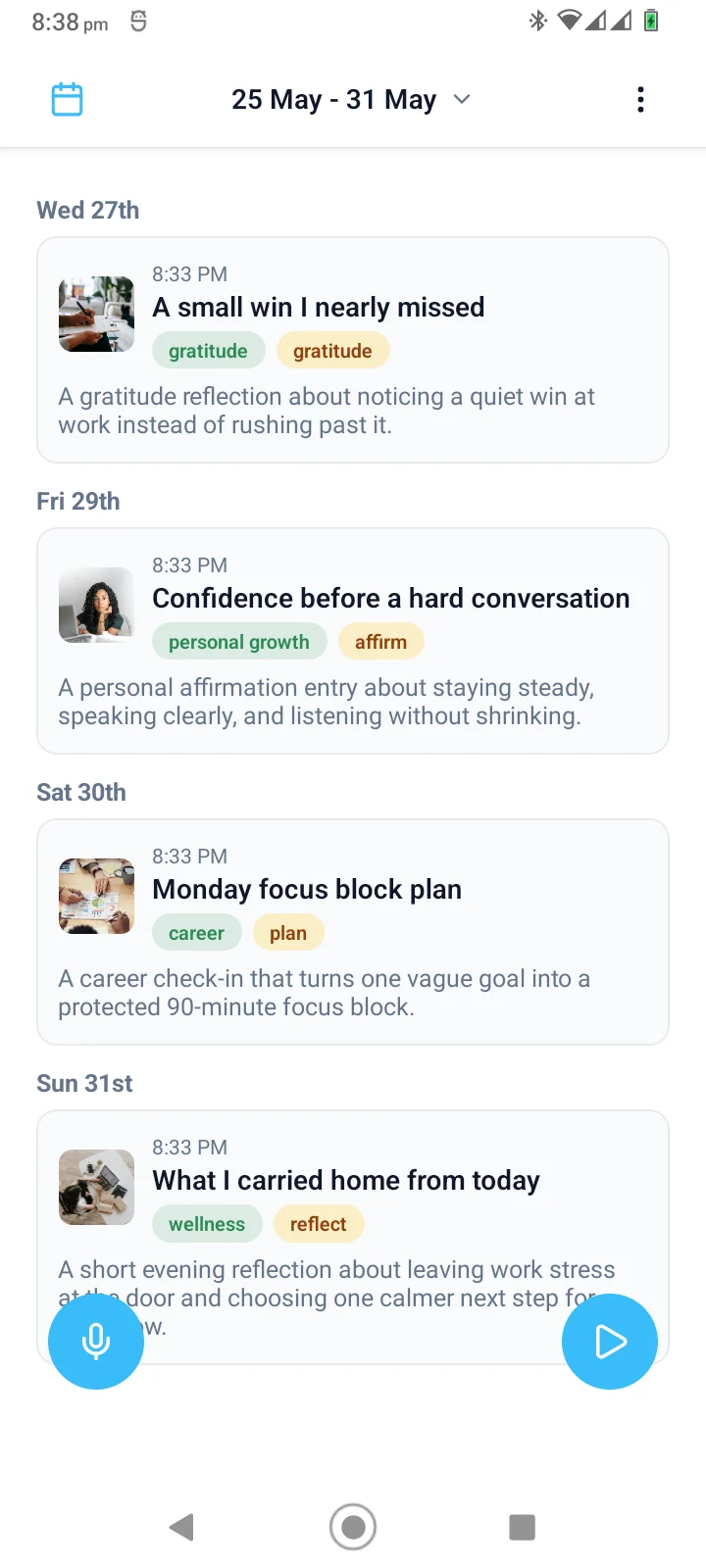
Browse recent entries in a weekly timeline.
Open any entry and replay the audio.
Use summaries and categories to review what changed over time.
Create goals, record from inside a goal, and revisit the entries that JournPad automatically links there.
Use summaries, categories, and playback to return to important entries.
An audio diary works best when capture is fast. JournPad is built around voice entries, so you can record a real moment instead of waiting until you have the energy to write it out.
Categories and goal links can give an entry more context. You can keep a simple audio record or build a richer reflection trail around the parts of life you are actively tracking.
The exact routine can stay simple. Start with a voice entry, then let the product structure help when you return to review.
A written diary can miss the tone and immediacy of a real moment. Open JournPad and record the thought in your own voice.
After saving, use the generated title, short summary, and category as a review layer. These helpers are useful labels, not perfect interpretations.
Replay the original audio when tone matters, browse entries by recording date in Day, Week, or Month views, and return to goal-linked entries from the goal where they were created.
Answers to common questions about using JournPad for this kind of voice journaling.
Use JournPad as a voice diary or audio diary: record spoken entries, replay the original audio, review AI summaries, and browse entries by recording date.
Yes. JournPad saves voice entries as audio, and users can replay saved entries from the entry detail view.
Users can create goals with categories and reminders. A new voice entry started from inside a goal is automatically linked to that goal, where its linked entries can be reviewed and played back.
No. JournPad is a journaling and reflection app. It is not therapy, medical care, coaching, or professional advice.
Keep exploring JournPad by product workflow, practical routine, or supporting education.