Dedicated goal pages
JournPad gives each goal its own page. Open a goal to see its details and the entries that were created from inside that goal.
JournPad combines voice journaling with goal pages, automatically linked entries created from inside a goal, reminders, and playback.
For recurring check-ins around career, wellness, gratitude, and personal growth.
Goal updates get buried when they live among unrelated notes and voice recordings. JournPad fits when you want to speak first, keep the original audio, and use light organization later instead of turning every reflection into a typing task.
Open a goal and start a new entry from the goal page.
See linked entries inside the goal detail view.
Play one linked entry or play all entries linked to the goal as a playlist.
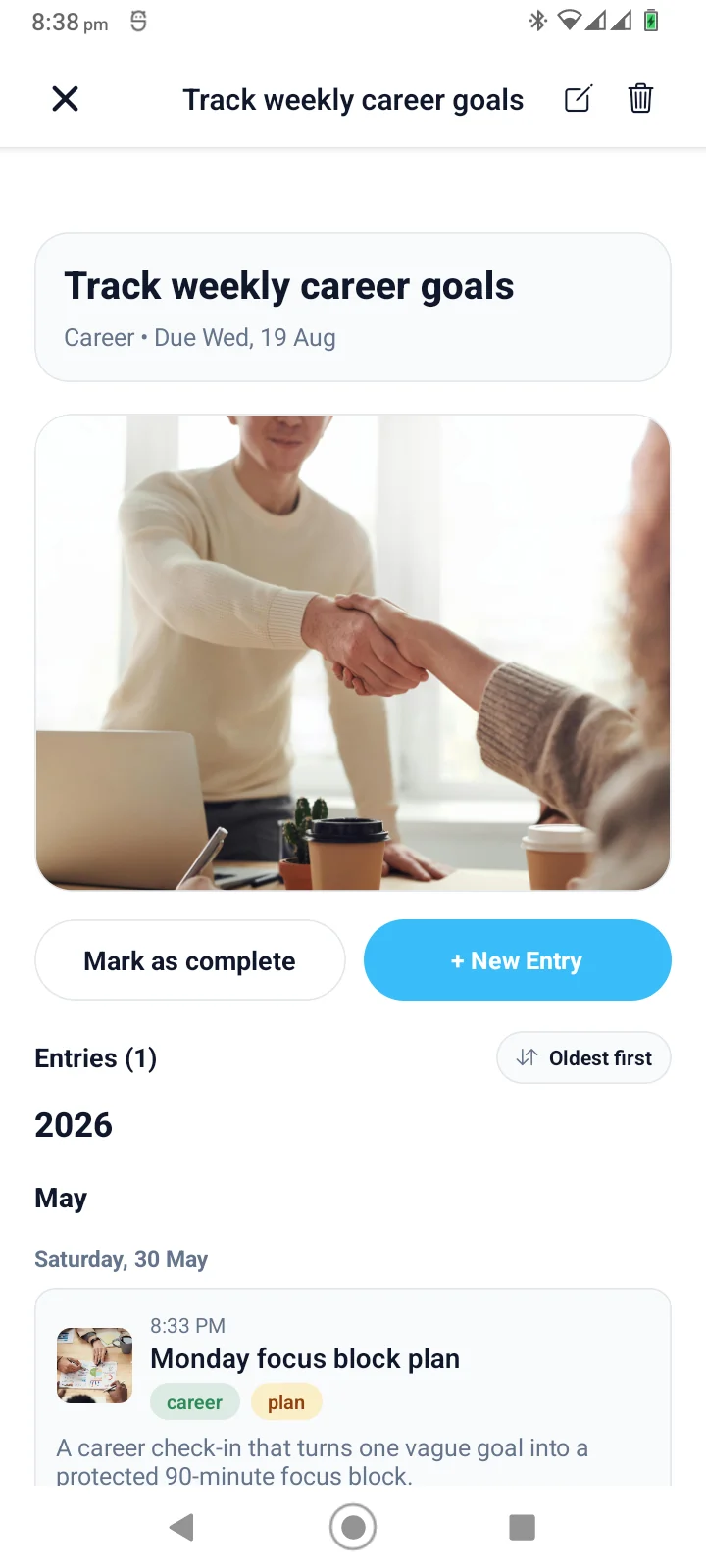
Create goals, record from inside a goal, and revisit the entries that JournPad automatically links there.
Use summaries, categories, and playback to return to important entries.
JournPad gives each goal its own page. Open a goal to see its details and the entries that were created from inside that goal.
When you start a new voice entry from inside a goal, JournPad automatically links that entry to the goal. The same entry still remains visible in the relevant Day, Week, or Month calendar view.
Open a goal to see its linked entries, sort them newest-first or oldest-first, and replay the recordings when you want the full reflection.
A goal's linked-entry list gives you one place to review reflections created from inside that goal without removing those entries from the normal calendar views.
From the goal page, start a new voice entry with the goal context already present. The saved entry is automatically linked back to that goal for later review.
The exact routine can stay simple. Start with a voice entry, then let the product structure help when you return to review.
Goal updates get buried when they live among unrelated notes and voice recordings. Open JournPad and record the thought in your own voice.
After saving, use the generated title, short summary, and category as a review layer. These helpers are useful labels, not perfect interpretations.
Replay the original audio when tone matters, browse entries by recording date in Day, Week, or Month views, and return to goal-linked entries from the goal where they were created.
Answers to common questions about using JournPad for this kind of voice journaling.
JournPad combines voice journaling with goal pages, automatically linked entries created from inside a goal, reminders, and playback.
Yes. JournPad saves voice entries as audio, and users can replay saved entries from the entry detail view.
Users can create goals with categories and reminders. A new voice entry started from inside a goal is automatically linked to that goal, where its linked entries can be reviewed and played back.
No. JournPad is a journaling and reflection app. It is not therapy, medical care, coaching, or professional advice.
Keep exploring JournPad by product workflow, practical routine, or supporting education.