Review workflow
JournPad is designed for review. After recording, you can scan titles and summaries to find entries worth revisiting. When you need the full detail, replay the original audio. This workflow preserves both the overview and the depth.
Record voice entries in JournPad, then use AI-generated titles, summaries, and categories to organize reflections while keeping the original audio.
For people who want AI organization without losing the original audio.
AI journaling can sound vague unless the product clearly shows what AI actually organizes. JournPad fits when you want to speak first, keep the original audio, and use light organization later instead of turning every reflection into a typing task.
Generate titles, summaries, and categories.
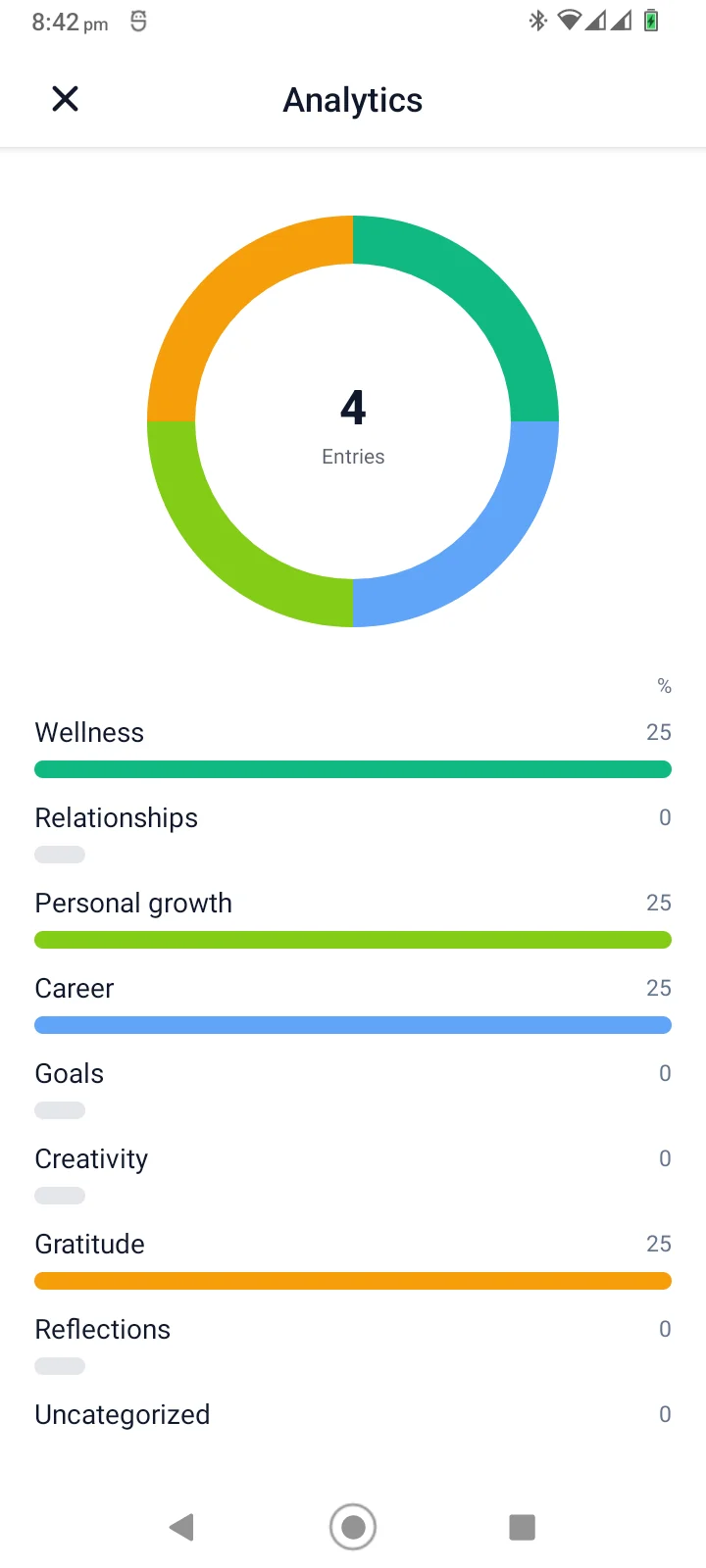
View category breakdowns in Analytics.
Notice whether reflections focus on wellness, career, gratitude, goals, or other themes.
Create goals, record from inside a goal, and revisit the entries that JournPad automatically links there.
Use summaries, categories, and playback to return to important entries.
JournPad is designed for review. After recording, you can scan titles and summaries to find entries worth revisiting. When you need the full detail, replay the original audio. This workflow preserves both the overview and the depth.
AI-generated titles give each entry a useful label and short summaries capture the main point. A generated category appears as review context and contributes to category-percentage analytics; it is not a search, filter, tagging, or folder system.
Entry detail shows generated titles, summaries, subjects, categories, context, and follow-up prompts. Day, Week, and Month calendar views let you return to entries by recording date.
The AI features do not replace the original audio. They provide a layer on top of it. You can rely on summaries for quick scanning and return to the recording when you need tone, emphasis, or detail that text cannot capture.
AI-generated titles and summaries are not perfect. They may miss nuance or misinterpret context. Treat them as helpful suggestions rather than authoritative interpretations, and replay the original audio when the exact tone or detail matters.
The exact routine can stay simple. Start with a voice entry, then let the product structure help when you return to review.
AI journaling can sound vague unless the product clearly shows what AI actually organizes. Open JournPad and record the thought in your own voice.
After saving, use the generated title, short summary, and category as a review layer. These helpers are useful labels, not perfect interpretations.
Replay the original audio when tone matters, browse entries by recording date in Day, Week, or Month views, and return to goal-linked entries from the goal where they were created.
Answers to common questions about using JournPad for this kind of voice journaling.
Record voice entries in JournPad, then use AI-generated titles, summaries, and categories to organize reflections while keeping the original audio.
Yes. JournPad saves voice entries as audio, and users can replay saved entries from the entry detail view.
Users can create goals with categories and reminders. A new voice entry started from inside a goal is automatically linked to that goal, where its linked entries can be reviewed and played back.
No. JournPad is a journaling and reflection app. It is not therapy, medical care, coaching, or professional advice.
Keep exploring JournPad by product workflow, practical routine, or supporting education.