Transparent evaluation criteria
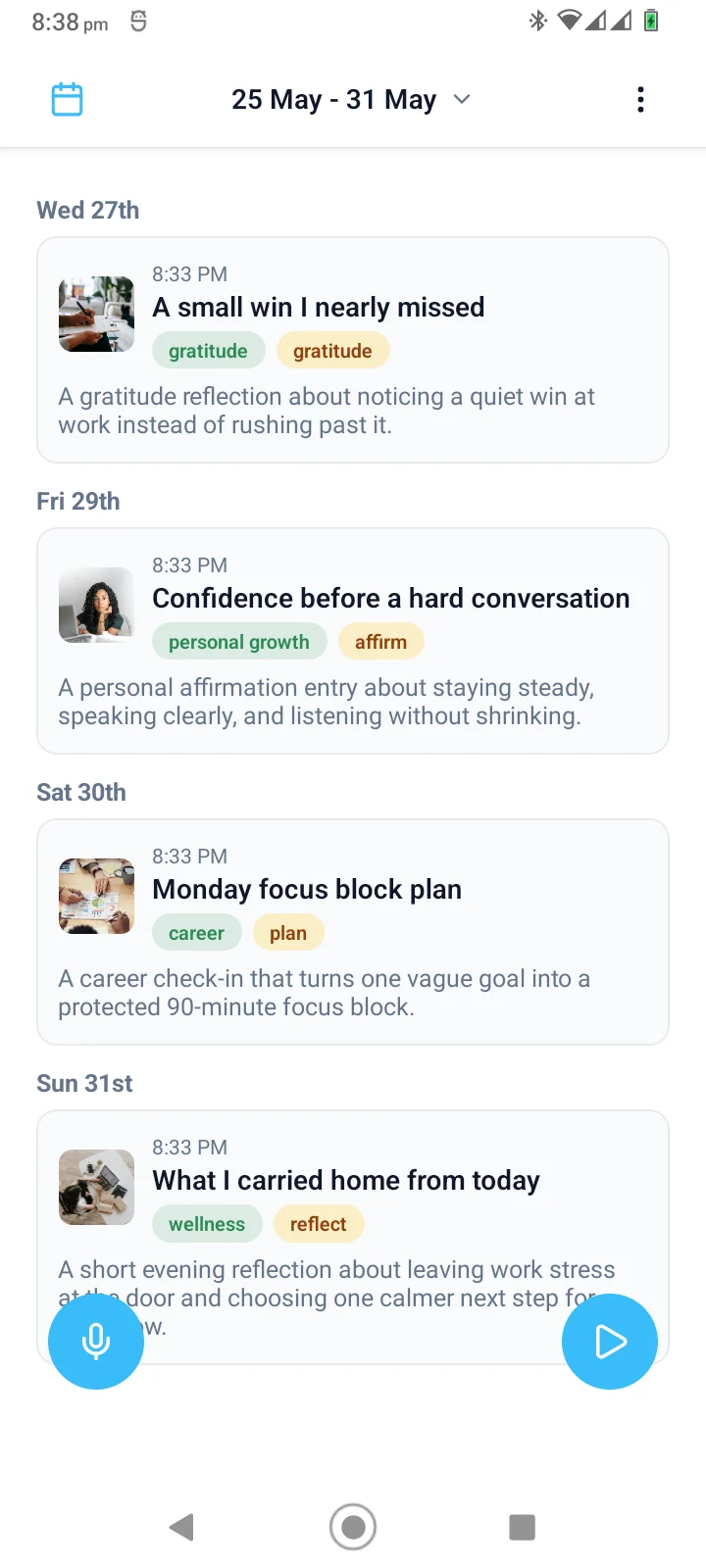
When comparing AI journaling apps, focus on what the AI actually does. Does it generate titles, summaries, or categories? Does it help with review, or does it promise insights it cannot deliver? Look for clear descriptions of AI features rather than vague claims about intelligence.
Recording or writing input
Consider how you want to capture entries. Some apps are built around voice recording, others around typing. If you think more clearly by speaking, look for an app that preserves the original audio and uses AI for organization, not replacement.
Original-content retention
AI should add value without erasing what you created. The best AI journaling apps keep your original recordings or written text available. AI-generated summaries and categories are layers on top, not replacements.
Summary usefulness
Evaluate whether summaries are practical. Do they capture the main point of an entry, or do they miss nuance? A useful summary helps you decide when the original recording is worth replaying.
Categories and organization
Look for meaningful categories: wellness, career, gratitude, creativity, or personal growth. Avoid apps that use generic labels. Categories should help you notice patterns over time, not just add metadata.
Reminders and goals
Consider whether the app supports habits and intentions. Reminders can help you return to journaling consistently. Goals can connect entries to what you are working on, turning scattered reflections into a coherent thread.
Privacy controls
Check how the app handles your data. Are entries processed on-device or in the cloud? Can you delete entries and media? Are there access controls? Privacy matters for personal reflections.
Pricing and limits
Understand the cost structure. Is there a free tier? What are the limits on entries, AI features, or storage? Avoid apps that lock basic organization behind a paywall or use unclear pricing.
Limitations of AI output
AI is not perfect. It may misinterpret context, miss emotional nuance, or generate inaccurate summaries. Treat AI as a helper rather than an authority, and return to the original audio when nuance matters.